Inside the Blur Card demo
The live demo on this page launches Hexmoda, a made-up product we wrote to show the template with realistic copy: the headline reads “Runway shows you can walk through” and the subhead says “A digital fashion house dropping wearable virtual collections, shown in live runway rooms you step into with a headset.” Below it you see the signup form, a demo launch countdown and the share-to-climb referral panel exactly as a visitor would. Try the form: in the demo nothing is stored. When you use Blur Card, you replace Hexmoda with your own product name, headline, subhead and logo; the palette and motion come with it and every color stays editable.
Who should launch with Blur Card
For avant-garde fashion startups, electronic music labels, and VR/metaverse projects that trust visual intrigue.
A hot magenta blur glows mysteriously behind a frosted glass card, creating visual depth through pure color saturation and transparency layering. The pink-tinted text glows softly against this neon backdrop, evoking modern digital luxury and high-tech sophistication. This glassmorphic effect creates a premium, contemporary aesthetic that stands out. Your referral program gains visibility through a built-in leaderboard that turns top invites into social proof, encouraging viral sharing.
How Blur Card is designed
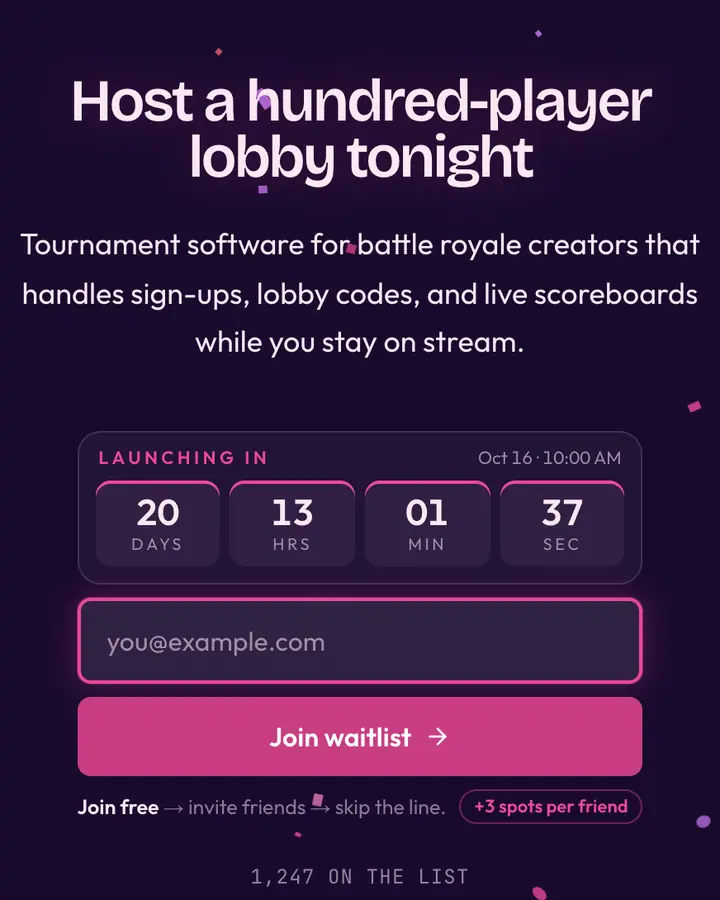
Blur Card is a dark template: a deep violet background (#1a0a2e), pale pink type (#fce7f3) and a vivid pink accent (#ec4899) on the join button, the countdown and the referral highlights. Body text sits at a 15.9:1 contrast ratio against the background, comfortably past the WCAG AAA threshold. Behind the copy the page animates with an animated glass bloom layer, front and center; visitors who ask their device for reduced motion get a still frame instead. Structurally it uses the Glass layout, shared with 82 other templates, but the palette, the motion and the demo copy are Blur Card's own.
- Background
- #1a0a2e
- Accent
- #ec4899
- Text
- #fce7f3
What to launch with Blur Card
Blur Card fits a wellness or habit app, a creator platform or a consumer mobile app. Against the deep violet background, a short headline in pale pink type reads first and the vivid pink button reads second, which is the order you want. A headline like “Your habits, in one glance.” with the subhead “Small streaks, big changes. Be first when the app opens.” matches the glassmorphism tone. Because the glass bloom motion is front and center, a two-line subhead is plenty; longer copy fights the background.
How it compares
Among the Glassmorphism templates, Blur Card stands out for its vivid pink accent on a deep violet ground. If it is not quite right, Plum Glass is also dark but leans on a violet accent and an animated glass bloom layer (“Plum blur, ice card”). Glass is also dark but leans on a light blue accent and an animated glass bloom layer (“Frosted card on a saturated backdrop”). Violet Pane is also dark but leans on a light violet accent and an animated glass bloom layer (“Soft purple bloom under frost”). All of them share the same signup, referral and analytics features, so switching later only changes the look.
Three steps to a live waitlist
- Click “Use Blur Card free” and create a free account; Blur Card is preselected in the page wizard.
- Replace the Hexmoda demo copy with your product's headline and one-line pitch, pick a URL, and optionally set a launch date to show a real countdown.
- Publish and share the link. Every subscriber gets a personal referral link, and you watch signups and top referrers arrive in the dashboard.
Blur Card template FAQ
Is the Blur Card template free?
Yes. Blur Card is free on every plan, including the Free plan (1 page and 100 subscribers). All 1,000 Qubed templates are included on every plan; paying for Pro raises limits, it doesn't unlock designs.
Can I change Blur Card's colors, copy and logo?
Colors and copy are editable on every plan: the deep violet background, the vivid pink accent, the text color, the headline, subhead and button text. Uploading your own logo is part of Pro ($9.95/month).
Does Blur Card include the referral leaderboard and countdown?
Yes. Every signup gets a personal referral link and moves up the line as friends join through it (3 spots per referral by default), and the page shows a countdown when you set a launch date. Leave the date empty and the countdown stays hidden.
Does Blur Card work on mobile?
Yes. The layout is responsive, so the headline, signup form, countdown and share panel stack cleanly on a phone. Visitors who turn on reduced motion get a still background instead of the animation.
Can I remove the Qubed badge from a Blur Card page?
Yes, on Pro. Free pages show a small "Built with Qubed" badge; Pro ($9.95/month) removes it and adds unlimited pages with up to 10,000 subscribers each.